
PBIS Rewards Family
Navigate360, LLCEducation
3.472.00 Reviews
- Version
- 500005
- Installs
- 100.00K
- Age Rating
- Everyone
Screenshots
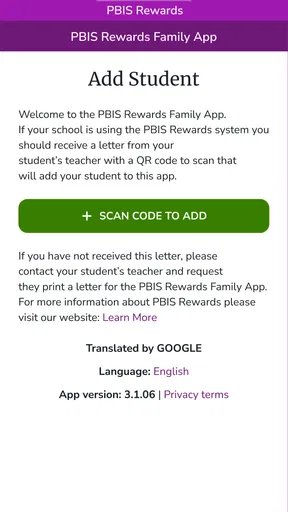
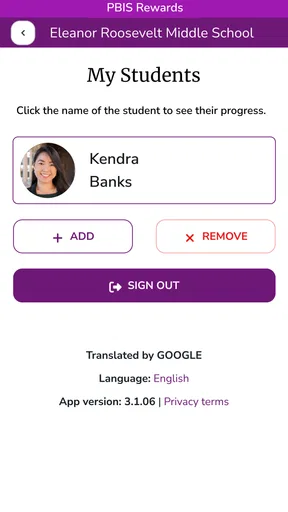
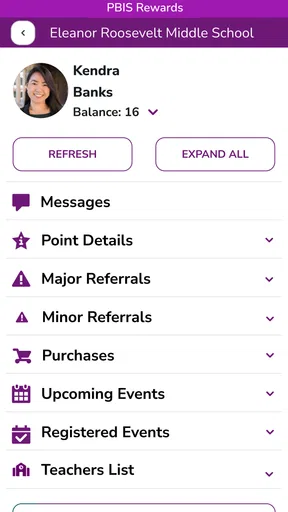
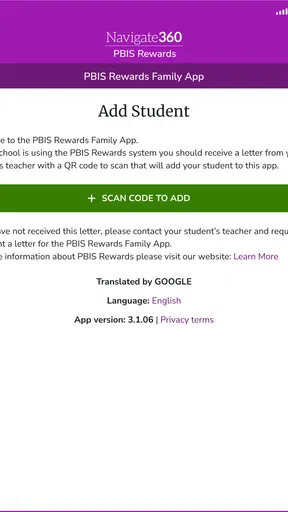
Our Review of PBIS Rewards Family
 Analysis by Appyee
PBIS Rewards Family is an education app designed to give parents and guardians a view into a school’s PBIS Rewards system. I approached it as a family communication tool rather than as a general parenting app, and that distinction matters. Its usefulness depends on whether your child’s school actively uses PBIS Rewards and how consistently the school shares information through the platform. When that connection is in place, the app can make positive behavior updates easier to follow without relying entirely on paper notes, scattered messages, or a child’s imperfect memory.
The app is free, aimed at Everyone, and developed by Navigate360, LLC. It has been available since September 29, 2020, and supports devices running Android 8.0 or newer. With over 100 thousand installs, it is established enough to be familiar to many families, although its average rating of 3.4 from roughly 170 ratings suggests that the experience is not equally smooth for everyone. I think that mixed reaction is understandable: this is a portal whose value is closely tied to a school’s setup, not a standalone app that can show its full benefit immediately after installation.
How the family workflow feels in everyday use
The basic routine is straightforward. A parent or guardian uses the app as a family-facing window into the school’s PBIS Rewards environment. Instead of treating it like a lesson app or a behavior-training game, I found it more useful to think of it as a place to check the school’s side of the conversation. The school defines the system and its expectations; the family portal helps the household stay aware of what is being communicated.
A realistic example would be a weekday evening when a child mentions receiving recognition at school but cannot explain what it was connected to. Rather than turning the conversation into an interrogation, a parent can use the family portal as a starting point, then ask a more focused question: what happened, which expectation was involved, and how did the child feel about it? That small change can make the app more valuable than simply opening it to look for a score or approval.
I would not install this app expecting it to replace communication with teachers. It works best as a supporting layer. If a behavior entry seems confusing, the right response is not to draw a firm conclusion from the screen alone. A parent may need to ask the child, contact the school, or compare the information with the school’s own explanation of its PBIS process. The app can organize a conversation, but it cannot provide the personal context that a teacher or counselor can.
That is also why the first question to ask before downloading is whether your child’s school uses PBIS Rewards and has enabled the family or guardian connection. Without that school-side relationship, the app is unlikely to become useful simply because it is installed. This is one of the most important trade-offs: unlike a general school planner, calendar, or messaging app, this portal is specialized and depends on an existing school system.
What I would do during the first setup
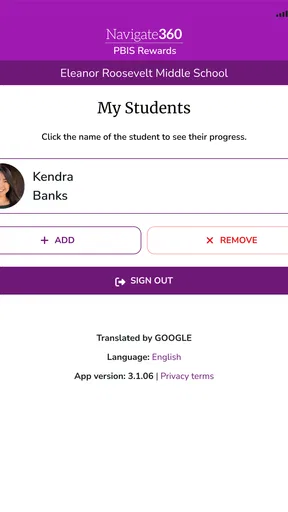
I would begin with the school’s instructions rather than trying to guess the correct route. Keep any invitation details, account information, or school guidance together before opening the app. If more than one child is connected to the family account, I would check carefully which child is selected before interpreting anything. A quick glance at the wrong profile can create unnecessary confusion, especially in a household where siblings attend the same school.
I would also make the first session a verification session, not a browsing session. Check that the child or children shown are the ones you expect, confirm that the information appears current enough to be useful, and note how the school describes the system’s categories or rewards. This habit prevents a common mistake with school portals: assuming that a familiar-looking screen has the same meaning as a similar screen in another school.
The app’s short description presents it as PBIS Rewards Family, but the practical experience is broader than a label. It is a parent and guardian portal into a school-managed process. That means the school’s terminology, routines, and communication style shape what you see. Two families may use the same application but have noticeably different experiences because the surrounding school workflow is different.
Making the app part of a repeatable routine
Experienced users will probably get more from a light routine than from constant checking. I would choose one or two natural moments, such as after school on a particular day or before a weekly family planning conversation, and use the app then. Checking repeatedly throughout the day can turn a support tool into a source of anxiety, especially if updates are not immediate or if a parent starts treating every entry as a complete account of the child’s behavior.
A useful pattern is to pair the check with a short conversation rather than a reward or punishment. Ask what the child remembers, what felt easy, and what was difficult. If the app shows positive recognition, celebrate the effort without making the digital record the only proof that good behavior occurred. If the information raises a concern, use it as a prompt for calm questions instead of announcing a verdict.
The strongest use of this portal is shared understanding, not surveillance. That distinction is especially important with younger children. The app can help adults notice patterns in the school’s communication, but it should not become a replacement for trust, context, or direct conversation.
Settings and access habits worth checking
Because this is a family portal, I would pay attention to practical access habits before worrying about advanced customization. Make sure the device is running a compatible operating system; the stated minimum is Android 8.0. If the app is used on an older phone, compatibility can become the first obstacle rather than the school information itself.
I would also review the device’s notification behavior after setup. Whether alerts are useful depends on how the school communicates and how the phone handles app notifications. If alerts become distracting, reducing them may make the app easier to live with. If important updates are easy to miss, checking the app at a consistent time may be more dependable than waiting for a notification to appear.
Another sensible habit is to keep account details organized and avoid creating multiple competing access paths without a reason. Families often switch between a personal phone, a shared tablet, or a second caregiver’s device. Before doing that, I would decide who needs access and how the household will keep information consistent. A simple shared routine is usually clearer than several people checking independently and drawing different conclusions.
Privacy is worth considering in ordinary, practical terms. This is school-related information, so I would use a screen lock on the device and avoid leaving the portal open on a shared screen. I would also be careful when discussing entries in front of siblings or other people. These are not flashy settings, but they matter more to a family workflow than cosmetic adjustments.
One limitation is that the app cannot let a parent redesign the school’s PBIS process from home. If the school’s categories, timing, or explanations feel unclear, there may be little a user can change inside the portal. The best solution may be to ask the school how it expects families to interpret the information. That is a sign of the app’s role: it exposes a school-managed system rather than offering a fully independent dashboard.
Faster patterns for busy households
For a busy parent, the fastest useful pattern is to check with a question already in mind. Instead of opening the app and scrolling without a goal, decide whether you want to understand a recent recognition, prepare for a conversation, or see whether the school’s message matches what your child reported. This keeps the portal from taking more attention than it deserves.
I would also avoid turning every family discussion into a review of the app. A better rhythm is to use it when it adds context, then put the phone away. For example, if a child has had a difficult afternoon, the parent might check the school information once, listen to the child’s account, and decide whether a follow-up with the school is appropriate. The portal is most helpful when it supports a decision rather than becoming the decision itself.
Households with multiple caregivers can benefit from agreeing on language. If one adult calls an entry a reward, another calls it a warning, and a third assumes it is a complete behavioral report, the technology will not solve the confusion. I would use the school’s own terms and keep discussions focused on observable actions and expectations. That makes the information easier for the child to understand too.
A less obvious advantage of a consistent routine is that it can reveal communication gaps. If the family repeatedly sees information without knowing how to interpret it, that is useful feedback for the school. If the child’s explanation and the portal’s information regularly seem disconnected, the issue may be timing or context rather than dishonesty. Recording those questions for a single conversation with the school is more productive than raising a new concern every time the app looks unfamiliar.
Another practical trade-off is speed versus accuracy. A quick glance is convenient, but it encourages assumptions. Taking a few extra seconds to confirm the child profile, the date or context shown, and the meaning used by the school can prevent an unnecessary argument at home. For this kind of app, careful interpretation is more valuable than rapid navigation.
Where the portal reaches its limits
PBIS Rewards Family is not the right choice for every family, even when the app itself is free. If your child’s school does not use the PBIS Rewards system, a general school communication platform may be more useful. A calendar app is better for schedules, a messaging service is better for direct questions, and a homework platform is better for assignments. This app should not be judged as though it were designed to do all of those jobs.
I would also skip making it the main tool for serious behavioral concerns. A family portal may show a school-related record or recognition, but it cannot assess a child’s emotional state, explain classroom dynamics, or replace a conversation with qualified staff. When the issue involves bullying, safety, repeated distress, or a major change in behavior, direct contact with the school matters more than checking the app.
The average rating of 3.4 is a useful reminder to keep expectations realistic. A rating like that does not tell me that the app is unusable, but it does suggest that access, clarity, or reliability may feel uneven for some users. Since the portal depends on school configuration and family account setup, a frustrating experience may come from the surrounding process rather than from one single screen. Still, from a parent’s point of view, that distinction does not make the frustration disappear.
The current version is 500005, and the app’s age and maintenance history may matter to families using older devices or changing phones. I would keep the application updated through the normal device process and make sure the operating system remains compatible. If an issue appears, I would first check the school’s instructions and account connection before assuming that the behavior information itself is missing.
There is also a human limitation. Some children may feel that a digital record makes school behavior feel overly monitored. Parents should watch for that reaction. Using the app to encourage reflection is different from using it to keep score during every disagreement. If the child becomes focused only on earning recognition, the family may need to bring the conversation back to respect, responsibility, and the reason behind the school’s expectations.
Who will get the most value from it?
I think this app is best for parents and guardians whose children attend a school that actively uses PBIS Rewards and who want a simple way to stay connected to that specific system. It can be particularly useful when a child has difficulty remembering school details, when caregivers share responsibility for pickup and after-school conversations, or when the family wants a consistent prompt for discussing positive behavior.
It is less compelling for a parent who wants a complete academic dashboard, two-way teacher messaging, attendance management, or a universal behavior tracker. Those needs call for different tools. The specialized nature of this portal is a strength when it matches the school’s workflow, but a weakness when a family expects one app to cover every part of school life.
I would recommend trying it when the school provides clear onboarding and explains how families should use the information. I would be more cautious when the invitation is vague, the account connection is unclear, or the family is expected to interpret unfamiliar categories without guidance. In those situations, asking the school for a short explanation may be more important than spending time exploring the app.
My verdict after looking at the complete workflow
PBIS Rewards Family makes sense as a focused bridge between a school’s PBIS process and the adults supporting a child at home. Its best quality is not a long list of independent features; it is the possibility of turning school recognition and expectations into a more informed family conversation. Used with a steady routine, careful profile checking, and realistic expectations, it can reduce guesswork.
My reservation is that the experience is only as strong as the school connection around it. The app cannot create meaningful updates where the school has not established a clear process, and it cannot replace teachers, counselors, or direct communication. Families should also resist treating every digital entry as a complete judgment of a child.
For the right school community, I would recommend giving it a fair trial. Install it on a compatible device, follow the school’s setup guidance, check the family connection carefully, and use it at deliberate moments rather than constantly. If what you need is a PBIS Rewards family view, this free education app is a sensible tool to keep in the routine. If you need a broader school-management app, it is better to choose a platform built for that wider job.
Verdict
Strengths of PBIS Rewards Family
- Gives families a clear view of their child’s PBIS points and progress.
- Encourages positive behavior through visible rewards and recognition.
- Makes school-home communication about behavior more convenient.
- Helps children set goals and stay motivated between school visits.
- Simple design makes core features easy for parents and students to use.
Limitations of PBIS Rewards Family
- Requires the child’s school to use PBIS Rewards for full functionality.
- Point updates may depend on teachers entering information promptly.
- Reward choices and availability vary between schools.
- Some families may find frequent notifications distracting.
- Account access can be confusing if login details are misplaced.
Similar Picks in This Category
View All
Duolingo: Language Lessons
Duolingo4.7

Google Classroom
Google LLC2.8

Unacademy: Learn & Crack Exams
Unacademy3.2

Bible App for Kids
Life.Church4.4

Cake - Learn English & Korean
Cake Corp.4.7

Brainly: AI Homework Helper
Brainly4.5
Frequently Asked Questions
What is PBIS Rewards Family, and who is it designed for?
PBIS Rewards Family is a companion app for families participating in a school’s PBIS Rewards program. It helps parents and guardians view a student’s reward points, recognize positive behavior reported by the school, and stay informed about available incentives. The app is most useful when the child’s school actively uses PBIS Rewards and has provided the necessary login or account information.
How do I sign in to PBIS Rewards Family?
To use PBIS Rewards Family, you generally need an account connected to your child’s school and PBIS Rewards profile. The school may provide login details, an invitation, or instructions for linking a family account. If you cannot sign in, your password does not work, or your child is missing from the account, contact the school’s PBIS coordinator or administrator rather than creating multiple accounts.
What information can parents and guardians see in the app?
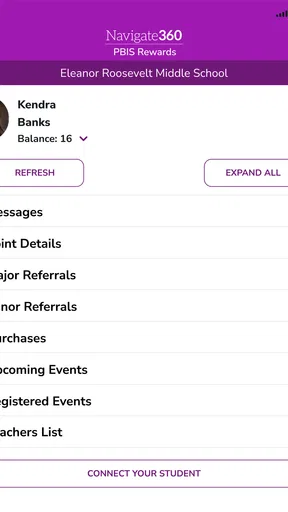
The information available depends on how the school has configured PBIS Rewards. In most cases, families can review a student’s current reward-point balance, see activity or points earned, and view rewards or incentives made available by the school. The app is not intended to replace the school’s official communication channels, so academic records, disciplinary information, attendance, and other unrelated student data may not appear.
Can students redeem rewards directly through PBIS Rewards Family?
PBIS Rewards Family may allow families to review available incentives, but the exact redemption process is controlled by the participating school. Some rewards may require approval, a request through the app, or in-person collection from a teacher or school office. Before expecting a reward to be delivered automatically, check the school’s rules, point requirements, expiration policies, and instructions for using redeemed incentives.
Is PBIS Rewards Family free and safe to use?
The family app is generally provided as part of a school’s PBIS Rewards implementation, so families typically do not pay to view their child’s reward information. However, availability and features can vary by school subscription and setup. Because the app handles student-related account information, download it from an official app store, use secure login credentials, keep the app updated, and contact the school if you notice incorrect or unfamiliar account activity.
